There's something profound about the modern designer's relationship with their tools. Not the relationship of dependency, but of partnership, where each instrument serves a purpose so specific, so essential, that removing it would be like taking away a painter's brush or a sculptor's chisel.
Working remotely as a designer demands more than creativity. It requires a different kind of discipline, a different understanding of how work flows when there are no colleagues to consult, no art directors to approve, no physical boundaries between inspiration and execution.
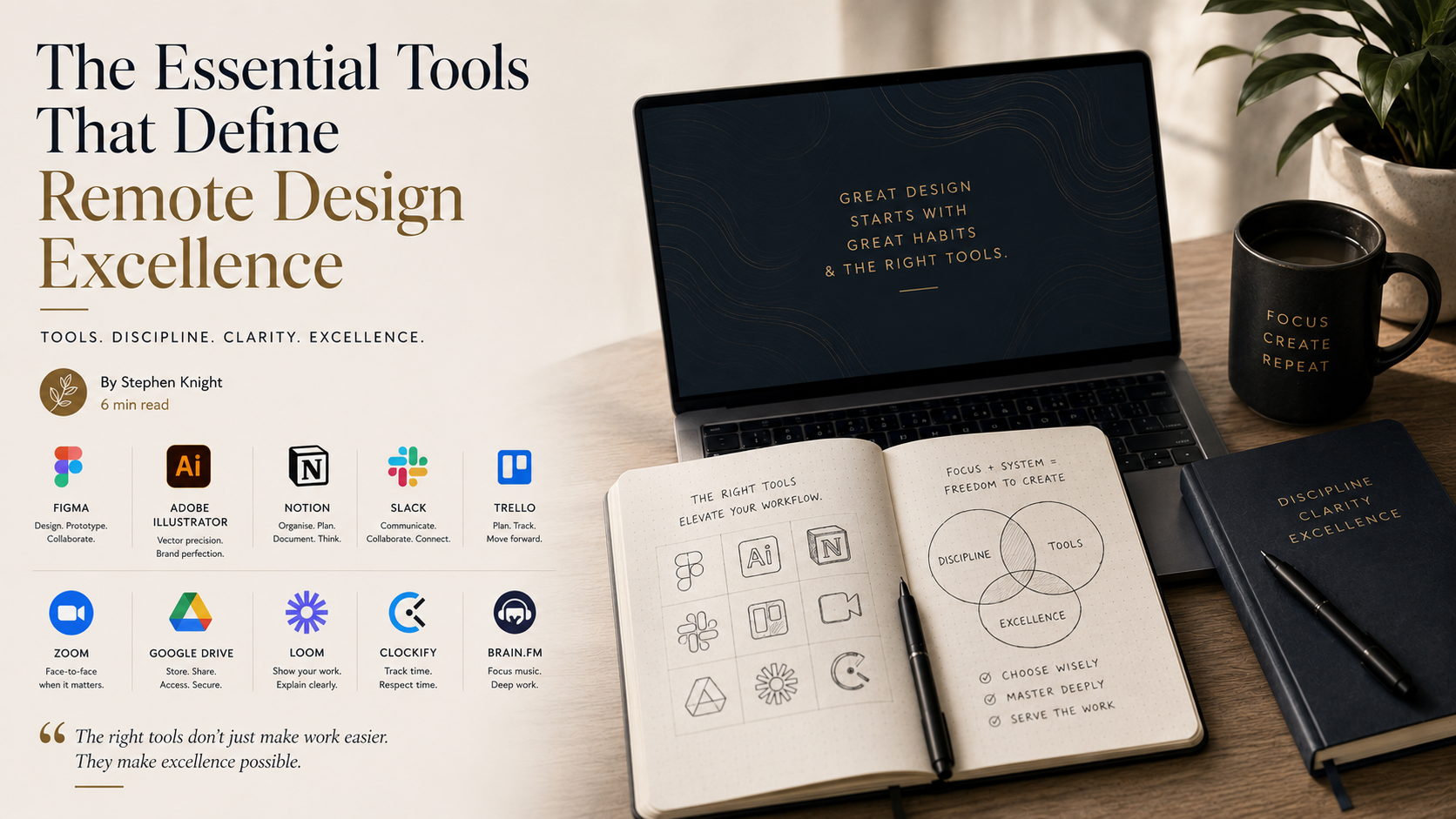
Over the years, I've refined my toolkit to ten essential instruments. Not because they're the newest or most popular, but because they serve the work, and through serving the work, they serve the clients who trust me with their vision.
Figma: The Foundation of Modern Collaboration
There's elegance in simplicity, and Figma understands this. Where other tools complicate, Figma clarifies. It has become my primary canvas, not just for interface design, but for any work that requires precision and collaboration.
What makes it essential for remote work isn't its features, but its philosophy. Design was never meant to happen in isolation. Figma removes the barriers between creator and collaborator, allowing ideas to flow as naturally as conversation.
The real-time collaboration isn't just convenient, it's transformative. When a client can see your thought process unfold, when they can point to exactly what they mean, when feedback becomes dialogue rather than interpretation, the work improves.
Adobe Illustrator: For When Precision Matters
Some tools are irreplaceable not because they're perfect, but because they understand their purpose completely. Illustrator is the tool I reach for when the work demands mathematical precision, when vectors must be pure, when scaling must be flawless, when the difference between good and perfect is measured in anchor points.
It's not always the most intuitive tool, but mastery rarely is. The discipline required to work efficiently in Illustrator, the keyboard shortcuts, the workflow optimisation, the understanding of how vectors truly behave, this is craft in its purest form.
Notion: The Architecture of Organisation
Organisation is not about systems, it's about clarity of thought. Notion has become the place where projects live before they become designs, where ideas crystallise before they become concepts.
I've built entire business processes within Notion: client dashboards that track progress without overwhelming, project templates that ensure nothing falls through cracks, mood boards that capture inspiration before it fades.
The power isn't in its features, but in its flexibility. Like a blank canvas, it becomes whatever the work requires it to become.
Slack: The Art of Efficient Communication
Communication in remote work is both more important and more difficult than in traditional settings. Slack solves this not by making communication easier, but by making it intentional.
The ability to separate conversations by context, to search through history, to set boundaries around availability, these aren't conveniences, they're necessities. When your office is everywhere and nowhere, communication becomes the architecture that holds projects together.
Trello: Visual Clarity in Project Flow
There's something deeply satisfying about moving a card from “In Progress” to “Complete.” Trello understands that project management isn't just about tracking tasks, it's about creating a visual representation of progress that the mind can grasp intuitively.
The board-and-card system mirrors how we naturally organise thoughts. To-do. Doing. Done. Simple categories that contain complex realities.
Zoom, Google Drive, Loom, Clockify & Brain.fm
Zoom: No amount of digital communication can replace the nuance of human expression. In those moments when email becomes confusion, when chat lacks context, when feedback needs real-time clarity, Zoom bridges the distance between minds.
Google Drive: File sharing is about trust. When clients can access their work whenever they need it, when version control prevents confusion, you're not just organising files, you're building confidence.
Loom: Sometimes the most important thing you can do is show, not tell. Loom transforms explanation from burden into opportunity, the chance to walk clients through your thinking in real time.
Clockify: Time tracking isn't about billing, it's about understanding. Understanding how long things actually take versus how long we think they take. Time is the one resource that cannot be recovered. Measuring it is the first step to respecting it.
Brain.fm: The right sound environment isn't luxury, it's infrastructure. The difference between background music and scientifically designed soundscapes is the difference between hoping for focus and engineering it.
The Philosophy Behind the Tools
These tools work not because they're the best available, but because they serve the work rather than demanding to be served. Each has earned its place through utility, through the way it disappears into the process rather than calling attention to itself.
The goal is never to have the most tools, but to have the right ones. Tools that enhance capability without creating complexity. Tools that solve real problems rather than creating new dependencies.
Remote work demands a different kind of discipline than traditional office work. The discipline to create structure where none exists. The discipline to maintain standards without supervision. The discipline to serve the work even when no one is watching.
Your tools are an extension of this discipline. Choose them wisely. Master them completely. Let them serve the work, and through the work, let them serve the higher purpose of creating something meaningful in the world.
Excellence in remote design isn't about working from anywhere, it's about bringing your highest standards everywhere you work.